
Job Costing for Small Construction Companies: How to Track Profit on Every Project
Track profit on every project with job costing for small construction companies. Learn systems that reveal where your money goes.

Construction financial management software has become non-negotiable for contractors managing tight margins and complex projects. Most construction firms still rely on outdated spreadsheets, which costs them thousands in billing errors and missed revenue annually.
At adding technology, we’ve seen firsthand how the right software transforms how contractors track costs, manage cash flow, and stay compliant. This guide walks you through the essential features, top solutions, and how to pick the platform that fits your business.
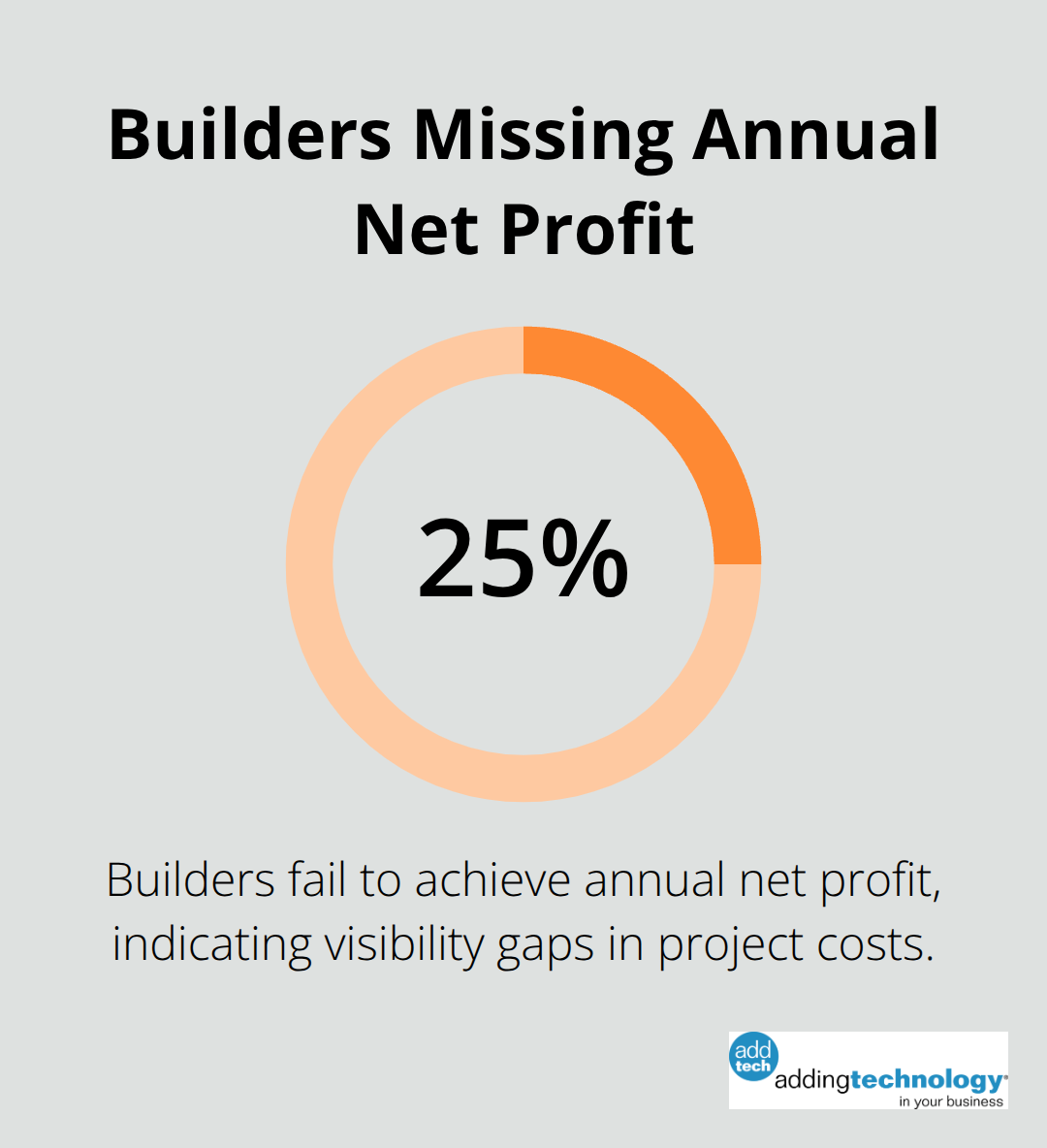
Real-time job costing separates contractors who know their project profitability from those who learn it months after completion. Construction differs fundamentally from standard accounting because you need to track costs by job, labor type, materials, subcontractors, and equipment simultaneously. Software that bundles these into a single view lets you spot cost overruns before they spiral. According to the Association of Professional Builders, nearly 24.9% of builders fail to achieve annual net profit, and much of that loss traces back to poor cost visibility during projects. When your software tracks labor costs in real time against job budgets, you catch problems within days, not quarters.
Look for platforms that break down costs by specific cost codes tied directly to your estimates, so you can compare what you bid against what you’re actually spending without manual spreadsheet work.
Your accounting system already runs your business. New software that forces you to re-enter data into a separate system wastes time and creates errors. The best construction financial management platforms connect directly to your general ledger, bank feeds, and payroll system so information flows automatically.
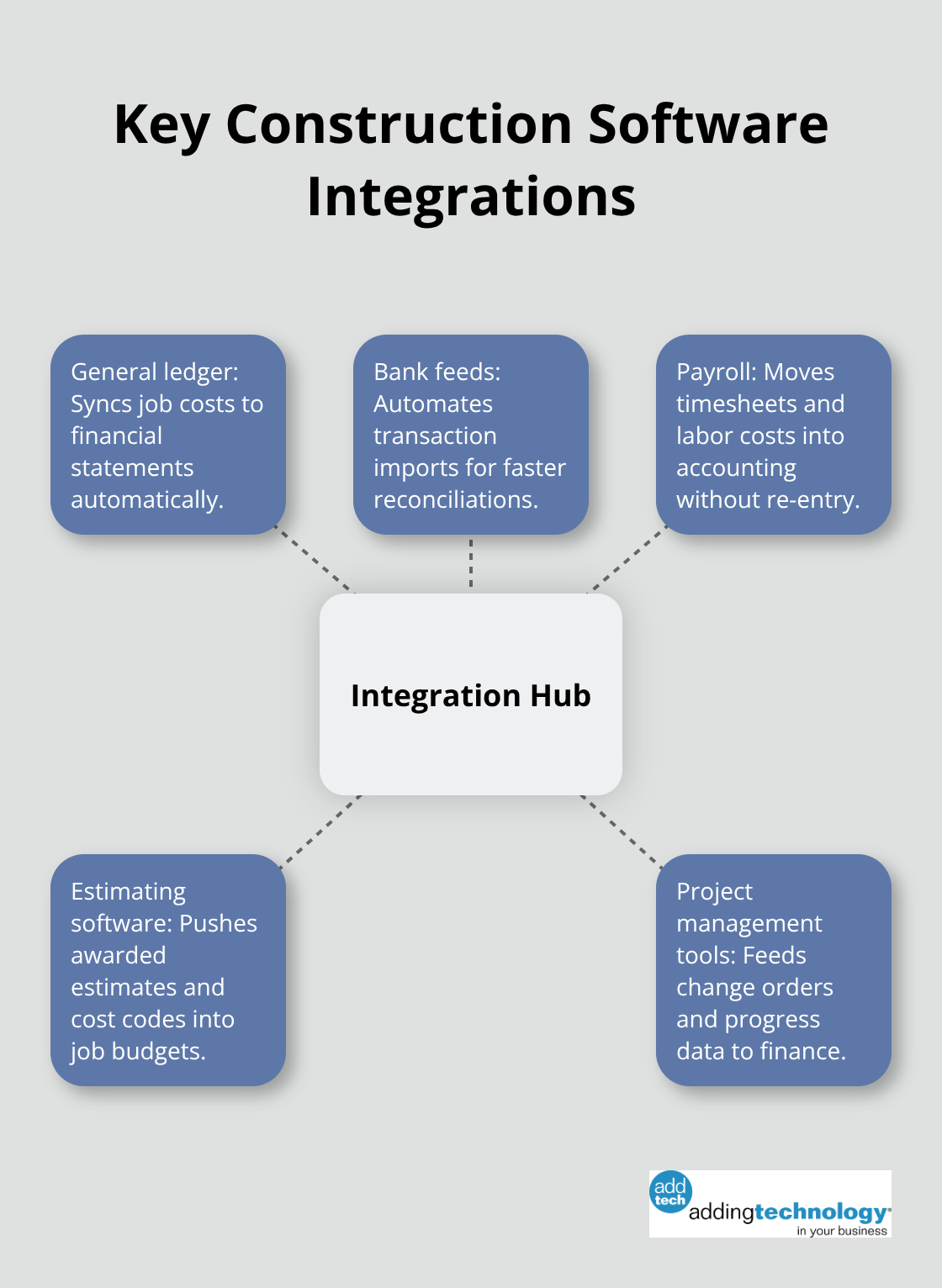
This integration matters because construction firms typically juggle multiple vendors-estimating software, project management tools, payroll processors, and accounting systems. When these talk to each other, your job costs feed straight into your financial reports without manual intervention. Sage 100 Contractor and FOUNDATION both offer deep general ledger integration, though FOUNDATION implements faster for smaller firms with simpler structures. If you evaluate software, ask specifically how it connects to your current accounting system and whether data flows two-way or one-way. One-way integration means you still enter information manually on the other end.
Construction happens on job sites, not in offices. Your crew leaders, foremen, and project managers need to log time, capture material costs, and track progress from the field without waiting until evening to sync data. Mobile access for field teams must let field teams submit timesheets, note material usage, and flag change orders from their phones in real time. This real-time capture means your back office gets accurate labor and cost data the same day, not three weeks later. When you evaluate mobile capabilities, test the app yourself on a job site with poor connectivity. Many platforms work fine in the office but lag or crash in areas with spotty signal. The software should also support offline mode, storing data locally until connection returns, then syncing automatically.
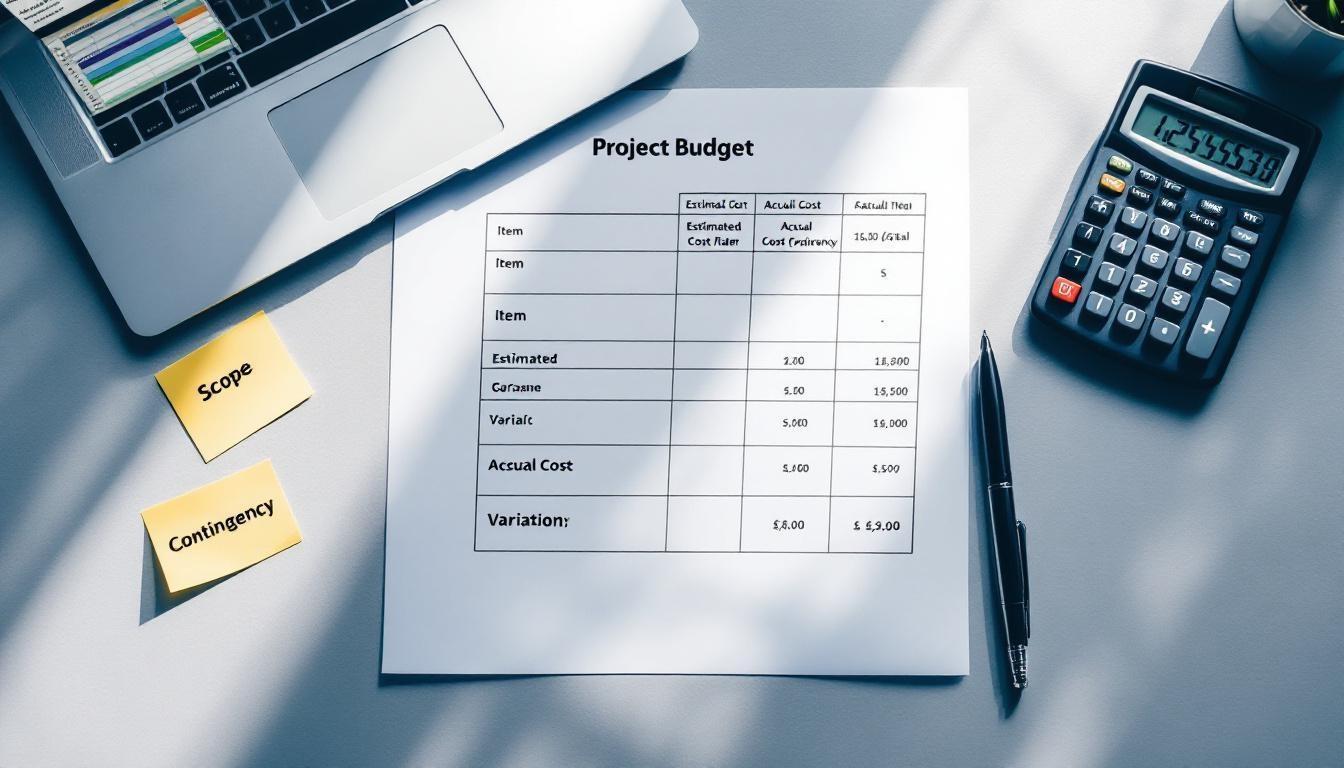
Vague cost tracking creates blind spots. Your software must tie every expense-labor, materials, equipment rental, subcontractor invoices-to the specific cost codes you used in your original estimate. This alignment lets you compare estimated costs against actual spending line by line. When a labor cost code runs 15% over budget, you see it immediately and can adjust staffing or methods on future phases. Software that forces generic categories or doesn’t link to your estimate structure wastes the entire point of real-time tracking. Test any platform by running a sample project through it using your actual cost codes and estimate format. If the software requires you to remap or simplify your codes, it won’t give you the visibility you need.
The right software foundation sets you up to choose solutions that actually fit your firm’s size and workflow. Next, we’ll walk through the top construction financial management platforms available in 2025 and how each one handles the features that matter most to contractors.
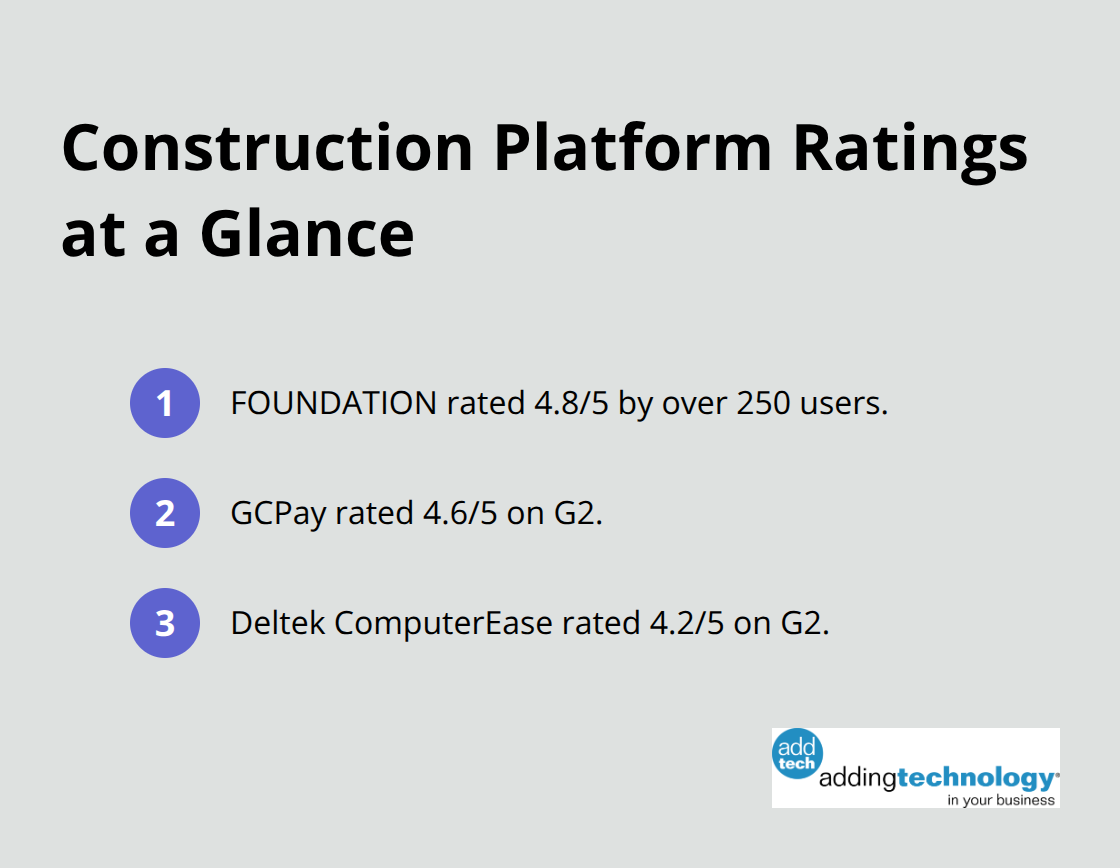
FOUNDATION stands out as the strongest choice for most construction firms, particularly those with 1-15 employees or those scaling toward 75 employees. Rated 4.8/5 by over 250 users, FOUNDATION delivers construction-specific job costing, work-in-progress reporting, equipment management, and real-time financial data without the implementation headaches that plague competitors. The platform integrates directly with your general ledger, handles AIA-style billing natively, and tracks change orders-all features contractors actually need instead of generic accounting software adapted for construction. Implementation typically takes weeks rather than months, which matters because your team loses productivity during lengthy rollouts. For medium-sized firms between 15-75 employees, FOUNDATION and Sage 100 Contractor both work, though FOUNDATION generally deploys faster. Sage 100 Contractor suits larger operations but comes with steeper complexity and higher total cost of ownership that smaller firms don’t need to absorb.
Procore gets mentioned frequently but functions primarily as project management software with basic accounting bolted on; you’ll still need a dedicated accounting system to handle your actual financial management, which means paying for two platforms instead of one integrated solution.
Construction firms face unique compliance demands-prevailing wage tracking, union requirements, lien waiver management, and tax reporting across multiple states. FOUNDATION includes built-in compliance features and handles payroll processing internally, eliminating the need to sync data between separate payroll and accounting systems. GCPay specializes specifically in construction payment automation with real-time invoice tracking and automated lien waivers plus insurance certificate management, rated 4.6/5 on G2. If your firm handles significant subcontractor payments, GCPay integrates with your accounting system to streamline retainage tracking and payment approvals. Deltek ComputerEase emphasizes real-time general ledger integration with job costing, enabling tighter financial control across multiple sites and rated 4.2/5 on G2. For enterprises managing complex multi-site operations, Oracle Primavera provides earned value management integration that integrates project scope, schedule, and cost. The global construction software market reached $9.87 billion in 2024 and is projected to grow to $21.03 billion by 2032, reflecting strong investment in platforms that reduce compliance risk and improve financial visibility. When you evaluate any platform, ask specifically whether compliance reporting integrates with your accounting system automatically or requires manual intervention.
The platforms that win in construction share one trait: they understand that contractors operate differently than service firms or manufacturers. FOUNDATION, Sage 100 Contractor, and Deltek ComputerEase all build their core functionality around job-based accounting rather than adapting general accounting software. This distinction matters because construction requires simultaneous tracking of multiple projects, each with its own budget, timeline, and profitability metrics. A platform built for construction from the ground up handles cost codes, equipment allocation, and subcontractor management as native features. Generic accounting software treats these as add-ons or workarounds. When you test platforms, run your actual project data through them and observe whether the software feels natural to your workflow or forces you to adapt your processes to fit the tool.
Your next step involves matching these platforms to your firm’s specific size and financial complexity, which we’ll cover in the section on choosing the right software for your construction business.
Start by mapping what your firm actually does financially right now, not what you wish you were doing. Pull your last three months of invoices, timesheets, and job cost reports and walk through how data moves from the field to your accounting system. You’ll spot inefficiencies immediately-maybe your foreman emails timesheets to the office, someone re-enters them into payroll software, then payroll data gets manually posted to your accounting system. That’s three separate manual steps where errors creep in. The software you choose must eliminate those handoff points entirely.
Failing to reconcile accounts, neglecting to track expenses in real time or relying on manual data entry can introduce errors and discrepancies. If your current process involves spreadsheets, Google Sheets, or email chains, your selection criteria should prioritize platforms that integrate seamlessly with your existing accounting system and payroll provider.
Test any platform by walking through your actual workflow-not the vendor’s demo scenario, but your real process with your real data. FOUNDATION handles this integration natively for smaller firms, while Sage 100 Contractor requires more configuration for medium-sized operations. When you request a demo, ask the vendor to import one of your actual jobs and show you the cost tracking flow from labor entry through job profitability reporting. If they hesitate or need extensive customization, that platform will drain your team’s time during implementation.
Scalability isn’t about someday growth-it’s about whether the software grows with you without forcing a painful migration in two years. A platform rated for 1-15 employees that can’t handle 30 employees without major reconfiguration wastes your implementation investment. FOUNDATION scales effectively from small operations through 75-employee firms, making it a practical choice if you’re growing. Sage 100 Contractor works better for firms already at 75+ employees but creates unnecessary complexity for smaller teams.
The total cost of ownership matters more than the monthly subscription rate. Budget $200-$500 monthly for comprehensive solutions, plus $5,000-$25,000 for implementation costs, according to industry standards. However, implementation timelines vary dramatically-FOUNDATION typically deploys in weeks while other platforms require months of configuration. That difference translates directly to payroll costs. If your team spends three months configuring software instead of managing projects, you’ve lost significant revenue.
When comparing pricing, ask vendors for their full cost breakdown including setup fees, data migration costs, training hours, and ongoing support. Some vendors quote low monthly rates but bundle essential features into expensive add-ons. Schedule demos with your top two or three choices and ask for references from contractors similar to your size. Call those references and ask specifically about implementation speed, how the software handles your cost codes, and whether the vendor met their timeline promises.
The right choice costs far more to get wrong than it costs to get right.
Construction financial management software succeeds when it matches your firm’s actual workflow, not when it forces you to adapt to the tool. The platforms that deliver results share three traits: they track costs by job in real time, they integrate directly with your accounting system, and they work on mobile devices where your team operates. FOUNDATION, Sage 100 Contractor, and Deltek ComputerEase each deliver these fundamentals, though your firm’s size and complexity determine which fits best.
Your next step involves scheduling demos with your top two choices and testing them with your actual job data. Ask vendors for implementation timelines, total cost breakdowns, and references from contractors your size, then call those references to confirm whether the software delivered the promised time savings and cost visibility. Most vendors offer trials or limited demos at no cost, so test the mobile app on a job site with real connectivity conditions before you commit.
We at adding technology understand that financial management distracts from what you do best: building projects profitably. Adding Technology offers expert accounting and financial management services tailored specifically for construction, including real-time job costing, accounting system renovation, and technology integration that eliminates manual data entry. If selecting and implementing construction financial management software feels overwhelming, or if you need guidance integrating new software with your existing systems, our team works with contractors to build solid financial foundations that support growth without adding complexity to your operations.









At adding technology, we know you want to focus on what you do best as a contractor. In order to do that, you need a proactive back office crew who has financial expertise in your industry.
The problem is that managing and understanding key financial compliance details for your business is a distraction when you want to spend your time focused on building your business (and our collective future).
We understand that there is an art to what contractors do, and financial worries can disrupt the creative process and quality of work. We know that many contractors struggle with messy books, lack of realtime financial visibility, and the stress of compliance issues. These challenges can lead to frustration, overwhelm, and fear that distracts from their core business.
That's where we come in. We're not just accountants; we're part of your crew. We renovate your books, implement cutting-edge technology, and provide you with the real-time job costing and financial insights you need to make informed decisions. Our services are designed to give you peace of mind, allowing you to focus on what you do best - creating and building.
Here’s how we do it:
Schedule a conversation today, and in the meantime, download the Contractor’s Blueprint for Financial Success: A Step by-Step Guide to Maximizing Profits in Construction.” So you can stop worrying about accounting, technology, and compliance details and be free to hammer out success in the field.