
Financial Controls for Builders: Strengthening Governance
Strengthen your construction company with financial controls for builders. Learn governance best practices to prevent fraud and improve accountability.

Construction companies waste thousands of dollars annually on bookkeeping systems that don’t fit their workflow. We at adding technology have seen firsthand how the wrong software creates bottlenecks in job costing, payroll integration, and tax compliance.
The right bookkeeping software for construction companies transforms how you track projects, manage labor costs, and stay compliant. This guide walks you through the features that matter, the solutions worth considering, and how to transition without disrupting your operations.
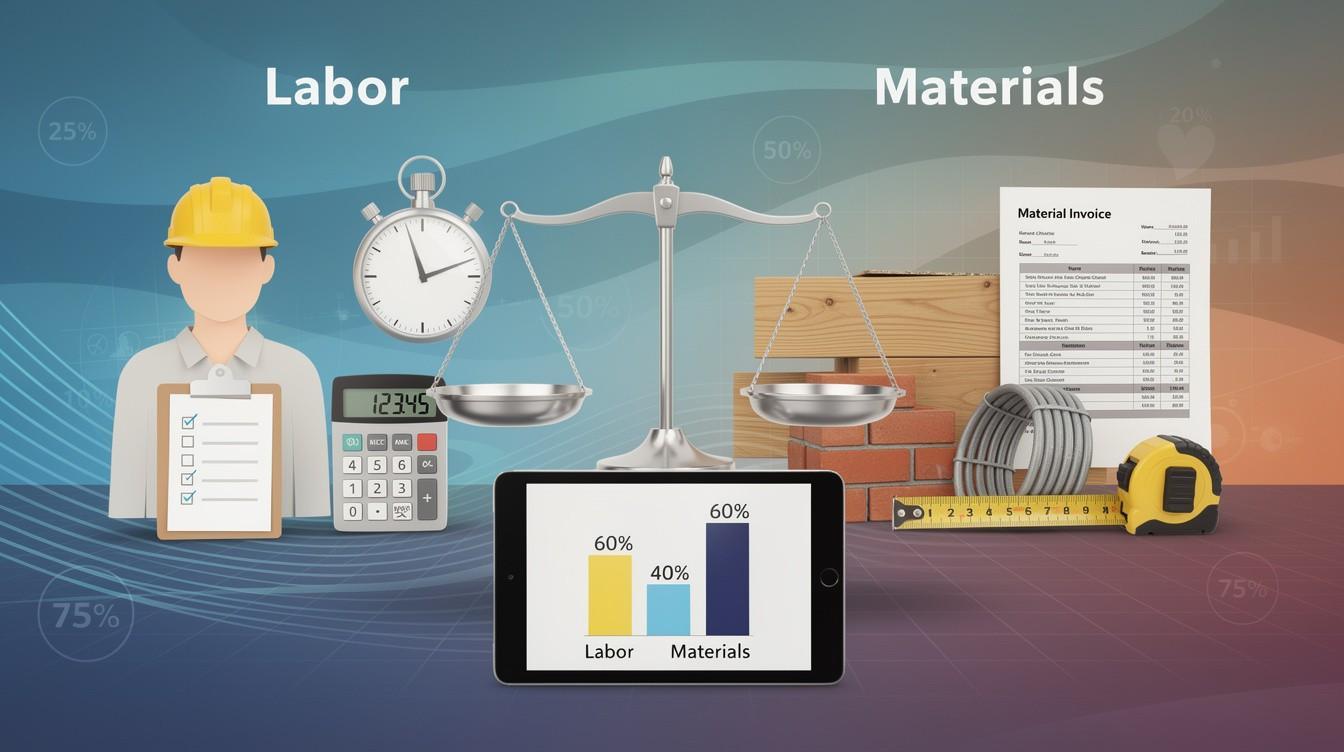
Construction accounting differs fundamentally from general bookkeeping because each project operates as its own financial entity with unique costs, schedules, and scope changes. You need systems that track profitability at the project level, not just overall company totals. Real-time job costing is non-negotiable-it lets you compare actual costs against your estimate throughout the project and flag overruns before they spiral. The best platforms break costs into three categories: labor, materials, and overhead. A construction firm managing $20M+ in revenue with 25 employees typically needs software that allocates overhead to each job (either as a fixed percentage or through activity-based methods) and tracks labor costs down to the wage and subcontractor fee level. Without this granularity, you cannot identify which element drives profitability problems.
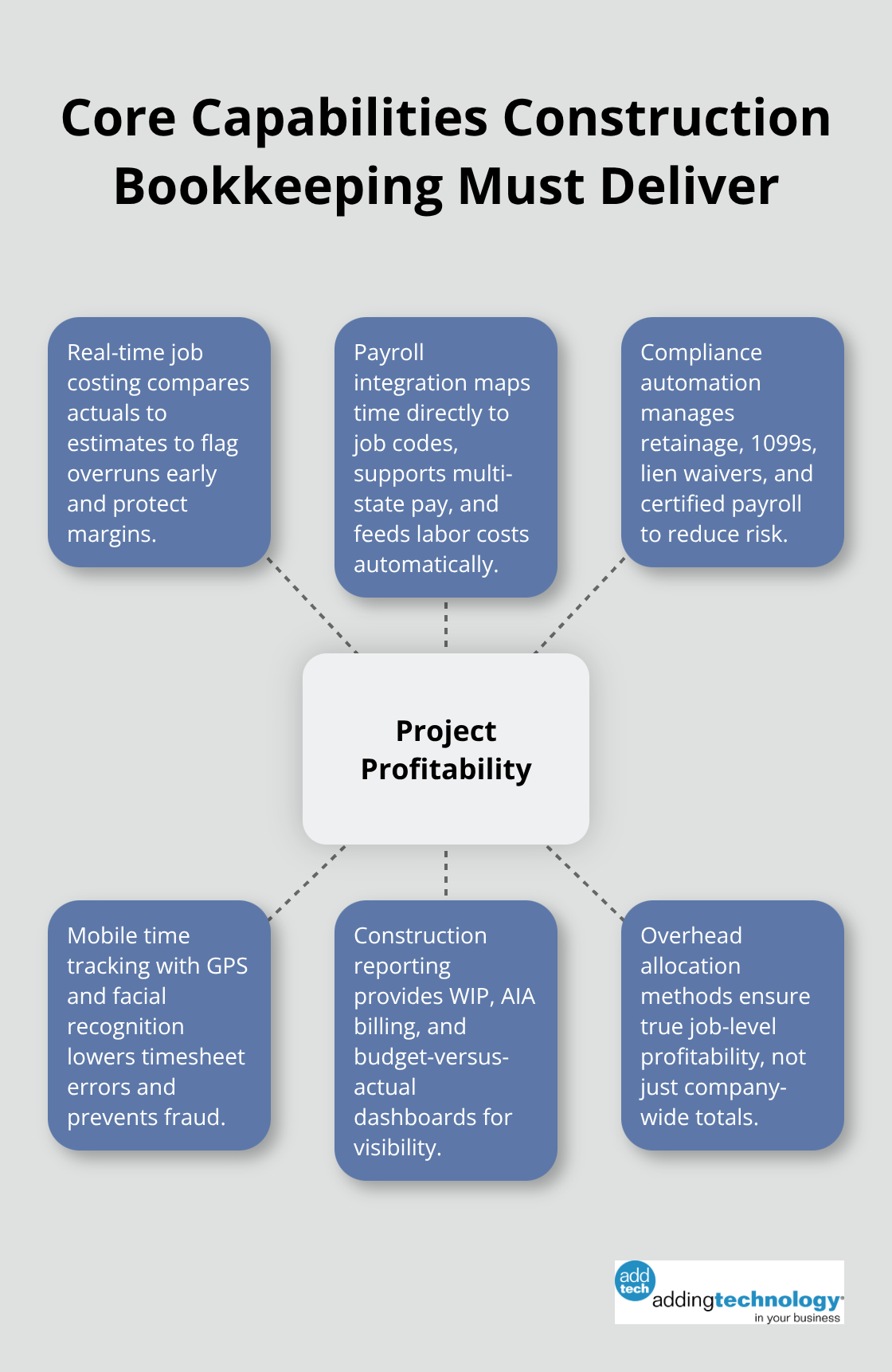
Sage 100 Contractor excels at native job costing and construction-specific reporting, though it requires a quote for pricing. QuickBooks Online Plus offers solid job costing for smaller firms starting at $38 per month, with class and location tracking built in. The critical advantage of real-time systems is that they integrate payroll, materials, and project management into one dashboard, eliminating manual data entry and reducing errors that plague spreadsheet-based tracking. You gain immediate visibility into which projects generate profit and which ones drain resources.
Construction companies must handle multi-state payroll, track hours across multiple jobs on a single timecheck, and maintain certified payroll records for prevailing wage compliance and union requirements. QuickBooks Online supports multi-state payroll in one paycheck, while Sage 100 Contractor lacks this capability. Time tracking should connect directly to job codes so labor costs flow automatically into job costing without delay. Mobile time tracking with facial recognition and GPS-stamped entries (like FOUNDATION Software offers) improves accuracy by verifying break times and preventing timesheet fraud. You eliminate the disconnect between field operations and back-office accounting.
Construction firms face unique retention management, subcontractor 1099 reporting, and lien waiver tracking requirements. Your software must handle retainage automatically as you invoice progress, track subcontractor payments separately, and generate 1099s without requiring outside accountants to rebuild data. Xero supports highly customizable invoices with cost codes and progress billing tied to milestones, starting at $29 per month for small teams. The software should also generate prevailing wage reports, EEO forms, and new hire documentation without manual intervention. NetSuite’s construction accounting features provide real-time project dashboards that compare budgets versus actuals across every project simultaneously, helping you spot variance patterns early.
Whichever platform you choose, it must eliminate manual tax form preparation and reduce friction between field operations and back-office compliance. The next step involves understanding how to transition your existing data and team to a new system without disrupting daily operations.
QuickBooks Online remains the industry standard for construction firms under $20M in revenue. At $38 to $275 per month depending on the plan, it delivers job costing, invoicing, and basic payroll without forcing you into enterprise pricing. The Plus tier includes class and location tracking, which matters when you run multiple projects simultaneously. However, QuickBooks Online caps out around 25 users on its highest plan, and its mobile app lacks full accounting features-you get invoicing and payment collection, but not expense tracking or bill management on the jobsite. For contractors managing 5 to 15 employees, this limitation rarely surfaces, but growth beyond that point exposes the ceiling.
Sage 100 Contractor occupies the opposite end of the spectrum. It supports unlimited users, native AIA billing, multi-state payroll in one check, and construction-specific reporting that QuickBooks cannot match. Punch lists and task management identify over-billing and under-billing instantly through detailed WIP schedules. The tradeoff: pricing requires a quote, and user reports suggest monthly costs land between $99 and $115 per user for firms with 10 to 25 employees. Implementation takes weeks, not days. For firms exceeding $20M in revenue with complex job structures, the investment pays itself through better margin visibility and compliance automation. For smaller firms, the learning curve and per-user cost create friction.
FOUNDATION Software combines job costing, payroll, and compliance into one platform with facial recognition time tracking and GPS-stamped clock-ins. The payroll module handles multiple jobs and trades on a single timecard, with certified prevailing wage reports built in. Mobile time tracking eliminates the spreadsheet-to-accounting lag that plagues smaller firms. Pricing remains modular and non-public, making comparison difficult without direct contact.
Xero offers a middle ground for teams seeking flexibility. Starting at $29 per month, it supports unlimited users across all plans-a major advantage over QuickBooks. Progress billing tied to milestones and cost code customization make it viable for firms managing 8 to 20 people. Xero shines in multi-currency projects and excels in Australia and New Zealand compliance, but lacks the certified payroll depth that prevailing wage contractors demand.
For sole proprietors and very small teams, FreshBooks at $21 to $65 per month handles invoicing, estimates, and expense tracking without overwhelming complexity. Forbes Advisor rated it 5 out of 5 for construction accounting simplicity. The weakness: no native job costing or multi-state payroll, so you sacrifice project-level profitability visibility for ease of use.
The decision hinges on headcount and revenue. Under $5M revenue and fewer than 10 employees, QuickBooks Online Plus or Xero fits. Between $5M and $20M with 10 to 25 employees, evaluate Sage 100 Contractor or FOUNDATION.
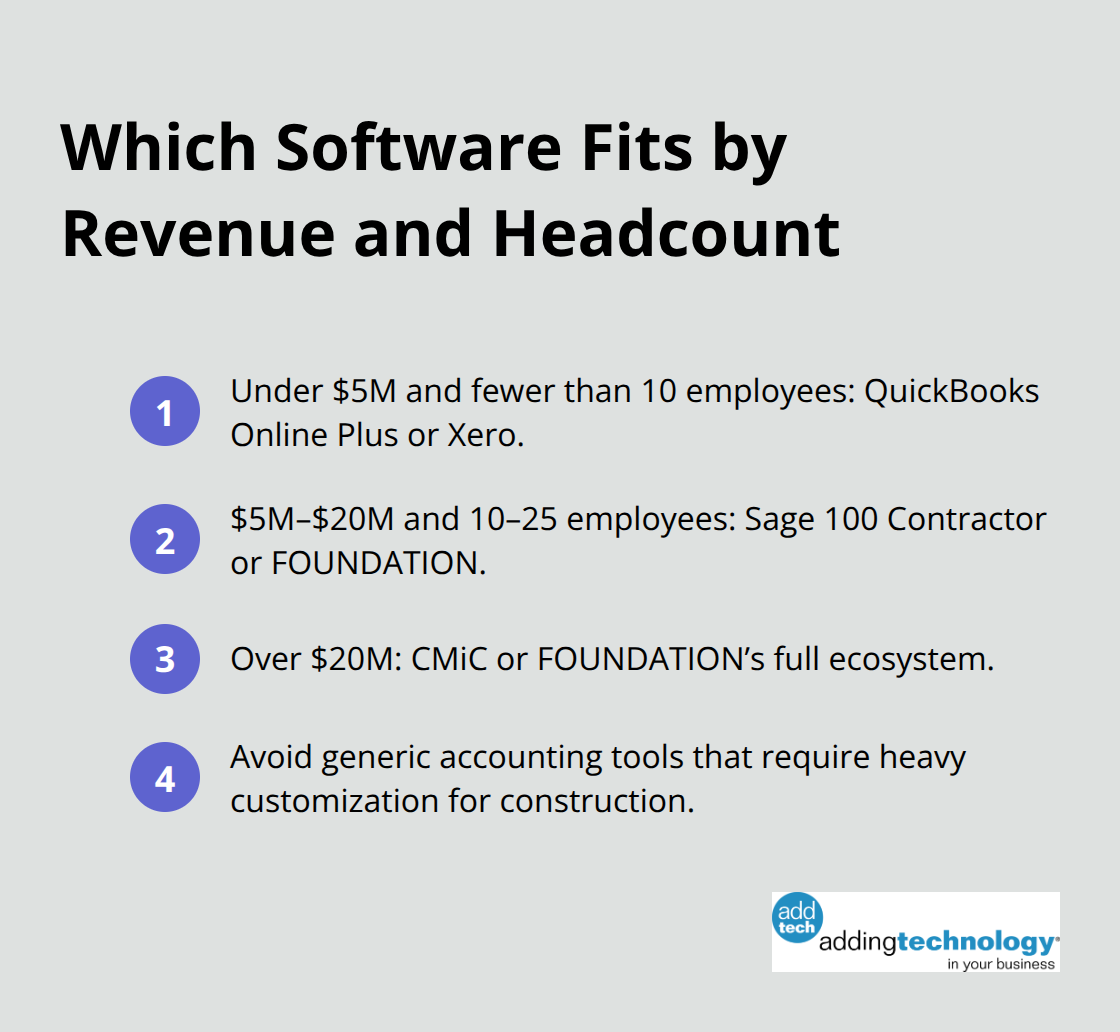
Above $20M, CMiC or FOUNDATION’s full ecosystem becomes necessary. Avoid generic accounting software that requires heavy customization to handle construction workflows-the hidden costs in training and errors exceed any savings on licensing. Compare top construction financial management software solutions to streamline budgets and track costs, then move your existing data and team to a new system without disrupting daily operations.
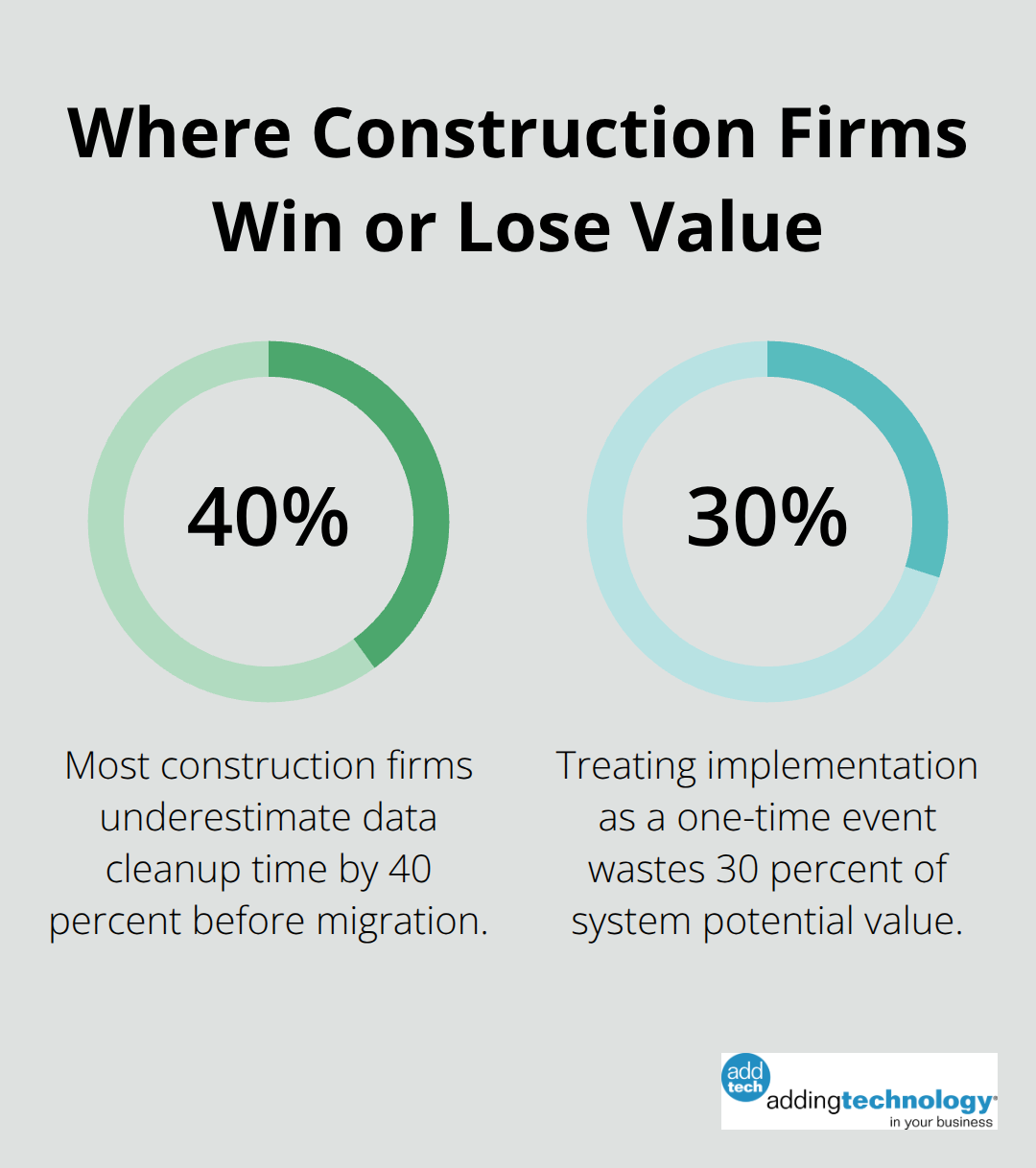
Construction firms fear new bookkeeping software because they worry about operational disruption. The reality is simpler: firms that succeed plan the move in phases rather than attempting a big bang cutover. Start by auditing your current data quality before migration begins. If your legacy system contains duplicate vendor records, incomplete job codes, or mismatched cost allocations, those errors transfer directly into your new platform and compound over time. Spend two weeks cleaning your chart of accounts, removing inactive job codes, and standardizing how you categorize labor versus materials. This upfront work prevents months of confusion after go-live. Most construction firms underestimate data cleanup time by 40 percent, so build in buffer weeks.
When you move from QuickBooks Online to Sage 100 Contractor, you cannot simply export and import-Sage’s job costing structure and cost code hierarchy differ fundamentally. A migration specialist or your software vendor’s implementation team should map your existing chart of accounts to the new system’s requirements. The transition typically takes four to eight weeks depending on how many years of historical data you retain. We recommend keeping only the last three years of active projects in the new system and archiving older data separately. This reduces complexity and speeds up reporting performance.
Your team will resist the switch initially because they know the old system’s workarounds and shortcuts. QuickBooks users often rely on class codes as a substitute for true job costing; Sage 100 Contractor users will find that time tracking integrates differently than they expect. Schedule hands-on training for each role at least two weeks before go-live, not the day before. Payroll staff need separate training from project accountants because their workflows diverge significantly. A construction firm with 15 employees should dedicate one power user per department to become the internal expert-someone who attends vendor training and can answer peer questions without escalating to support. This peer support model reduces your reliance on external consultants and accelerates adoption.
During the parallel run period (running both systems simultaneously), assign one person to reconcile job costing reports between the old and new platforms daily. This catches configuration errors before they corrupt your data and reveals which cost codes were miscoded historically. Run payroll on both systems for at least one full cycle to verify that gross pay, tax withholdings, and job allocations match exactly. If they do not match within 0.5 percent, do not go live-the discrepancy indicates a mapping problem that will create compliance headaches.
After go-live, most firms experience a 10 to 15 percent productivity dip for the first month as staff relearn processes and report formats change. Plan for this by front-loading project work in the weeks before cutover and avoiding tight deadlines immediately after. Your accountant or bookkeeper will spend extra hours reconciling accounts and investigating variances that would not occur in the familiar old system. Allocate 5 to 10 hours per week for the first month to handle these exceptions. Many construction firms cut vendor support too early; maintain your support contract for at least 90 days post-implementation, not the typical 30 days. During this window, your software vendor can identify configuration issues that only surface when real workflows hit the system. Real-time job costing dashboards behave differently than legacy systems, and staff often misinterpret variance reports until they understand how the platform calculates over-budget conditions.
Ongoing optimization happens continuously-set a quarterly review schedule where you examine job profitability reports, identify cost code patterns that could be consolidated, and adjust overhead allocation rates based on actual results from the prior quarter. Construction firms that treat software implementation as a one-time event rather than an ongoing process waste 30 percent of their system’s potential value. The software you selected matters far less than your commitment to using it correctly.
Firms that assign accountability for data entry accuracy, audit timesheets and purchase orders weekly against job codes, and review budget-versus-actual reports before month-end close see 15 to 20 percent improvements in project margin visibility within six months.
Selecting the right bookkeeping software for construction companies depends on three measurable factors: your current revenue, headcount, and the complexity of your job structures. Firms under $5M with fewer than 10 employees gain immediate value from QuickBooks Online Plus or Xero without overpaying for features they will not use for years. Mid-sized contractors between $5M and $20M with 10 to 25 employees should evaluate Sage 100 Contractor or FOUNDATION Software, where construction-specific reporting and multi-state payroll justify the higher cost.
Proper bookkeeping systems deliver measurable returns beyond compliance. Firms that implement real-time job costing gain visibility into which projects generate profit and which ones drain resources, enabling better pricing decisions on future bids. Automated payroll integration eliminates the manual lag between timesheets and job cost allocation, reducing errors by 20 to 30 percent, while subcontractor 1099 reporting and lien waiver tracking happen without external accountant involvement.
Audit your current system’s pain points: Are timesheets delayed reaching job costing? Do you struggle to generate certified payroll reports? These gaps reveal which software features matter most for your operation. Contact your shortlisted vendors for live demos focused on your specific workflows, then request references from contractors your size and ask directly about implementation timelines and post-go-live support quality. We at adding technology specialize in helping construction firms transition to modern bookkeeping systems without operational disruption-contact us today to discuss how real-time job costing can strengthen your financial foundation.











At adding technology, we know you want to focus on what you do best as a contractor. In order to do that, you need a proactive back office crew who has financial expertise in your industry.
The problem is that managing and understanding key financial compliance details for your business is a distraction when you want to spend your time focused on building your business (and our collective future).
We understand that there is an art to what contractors do, and financial worries can disrupt the creative process and quality of work. We know that many contractors struggle with messy books, lack of realtime financial visibility, and the stress of compliance issues. These challenges can lead to frustration, overwhelm, and fear that distracts from their core business.
That's where we come in. We're not just accountants; we're part of your crew. We renovate your books, implement cutting-edge technology, and provide you with the real-time job costing and financial insights you need to make informed decisions. Our services are designed to give you peace of mind, allowing you to focus on what you do best - creating and building.
Here’s how we do it:
Schedule a conversation today, and in the meantime, download the Contractor’s Blueprint for Financial Success: A Step by-Step Guide to Maximizing Profits in Construction.” So you can stop worrying about accounting, technology, and compliance details and be free to hammer out success in the field.